|
316-264-1600 Information Sales Support Information Sales Support |

|
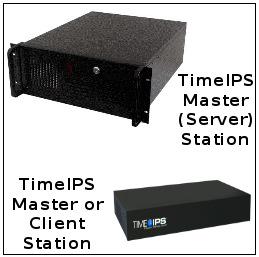
Installation ConsiderationsYour complete TimeIPS installation may include a single TimeIPS Master (server) station or a TimeIPS Master station and a number of client, or slave, stations.
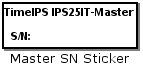
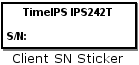
Locate your serial number sticker on the bottom/back of the TimeIPS station.
LocationThe master station should be installed in a relatively secure location with the most favorable environmental conditions possible. We recommend a TimeIPS station at each employee entrance to your facility and/or in your central break-room. Each station will require an AC power outlet and a network connection, which may be temporary or permanent, based on the type of station. The station(s) can be connected to any location on your network (wall plate jack, switch or hub). Environmental Requirements TimeIPS Master and Client stations must be installed where the ambient temperature is 32-90 degrees Fahrenheit. Enclosed areas must be vented or cooled with a fan. TimeIPS cannot be used outside unless protected by a completely weather-proof, temperature and condensation protected enclosure. In the event of moisture or condensation, the unit must be unplugged and allowed to dry. Damage caused by improper installation or operation is not covered under the warranty. Since TimeIPS Master stations store information, we recommend these receive the best environmental installation. Client stations do not store information and, in the event of a failure, there is no risk of data loss. Power Requirements TimeIPS requires 110V AC power and draws 50-100 Watts, depending on the model and options. We recommend a power backup system such as an APC 1100VA UPS or better to provide run-time for the TimeIPS server in the event of a short power-failure. As long as connectivity is available to the server, a manager would be able to log-into TimeIPS and clock out employees during this time. If client stations have battery backup-ups as well, employees can clock themselves out as needed.
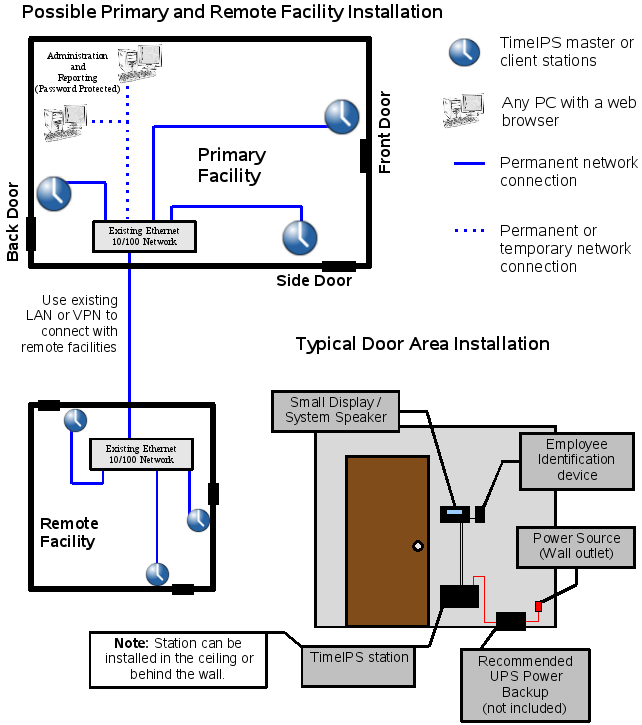
Please examine the example diagram [Figure A] to assist in planning your TimeIPS installation. Additional client stations can be added at any time to other entrances or any location within your business. Technical AssistanceOur Customer Relationship Department is available to assist you in the configuration and use of the system, Monday through Friday, 9 AM to 6 PM Central Time. A generous length of technical support services are included with each TimeIPS system purchase. Additional technical support service can be purchased as needed. |